
There's a particular kind of chaos that only happens during an in-person D&D session. Someone knocks over a drink, the wizard can't find the correct spell description, two players are arguing about whether the rogue was visible to the guards, and the Dungeon Master is trying to remember where they saved the map of the next room.
Meanwhile, everybody is having a great time.
That's one of the reasons playing around a physical table is so enjoyable. There's something about rolling actual dice, passing a note to another player, and watching the entire group react to an unexpected turn of events that no amount of software needs to improve.
Still, there are parts of running a game that digital tools can make considerably easier. Organizing campaign notes, preparing encounters, displaying maps, managing character information, and keeping track of what happened last session are obvious examples.
The trick is choosing tools that support the game without constantly demanding your attention. If you're spending more time operating software than describing what happens in the dungeon, something has probably gone wrong.
What does an in-person Dungeon Master actually need?
A group playing D&D online may rely on a virtual tabletop for almost everything. Maps, character sheets, dice, tokens, and even communication can all happen through the same application.
At a physical table, those requirements are different. The players may already have their own dice and character sheets, and a printed map with a handful of miniatures might be all you need for combat.
For the DM, digital tools are often most useful behind the screen. You need quick access to prepared scenes, NPC information, encounter notes, maps, and anything the players discovered previously. You may also want an easy way to show illustrations or share documents without handing everyone your laptop.
There are several good ways to handle that. The following tools solve different parts of the problem, and you certainly don't need to use all of them.
Talehaven: A workspace for preparing and running adventures
Imagine preparing a D&D adventure set in a remote village where several people have disappeared. You've created a few NPCs, an abandoned mill, a map of the surrounding area, and some clues that could lead the characters toward an underground shrine.
Traditionally, you might keep the adventure in a document, the maps in an image folder, and the character information somewhere else. That approach works, but it means moving between those resources whenever the players ask an unexpected question.
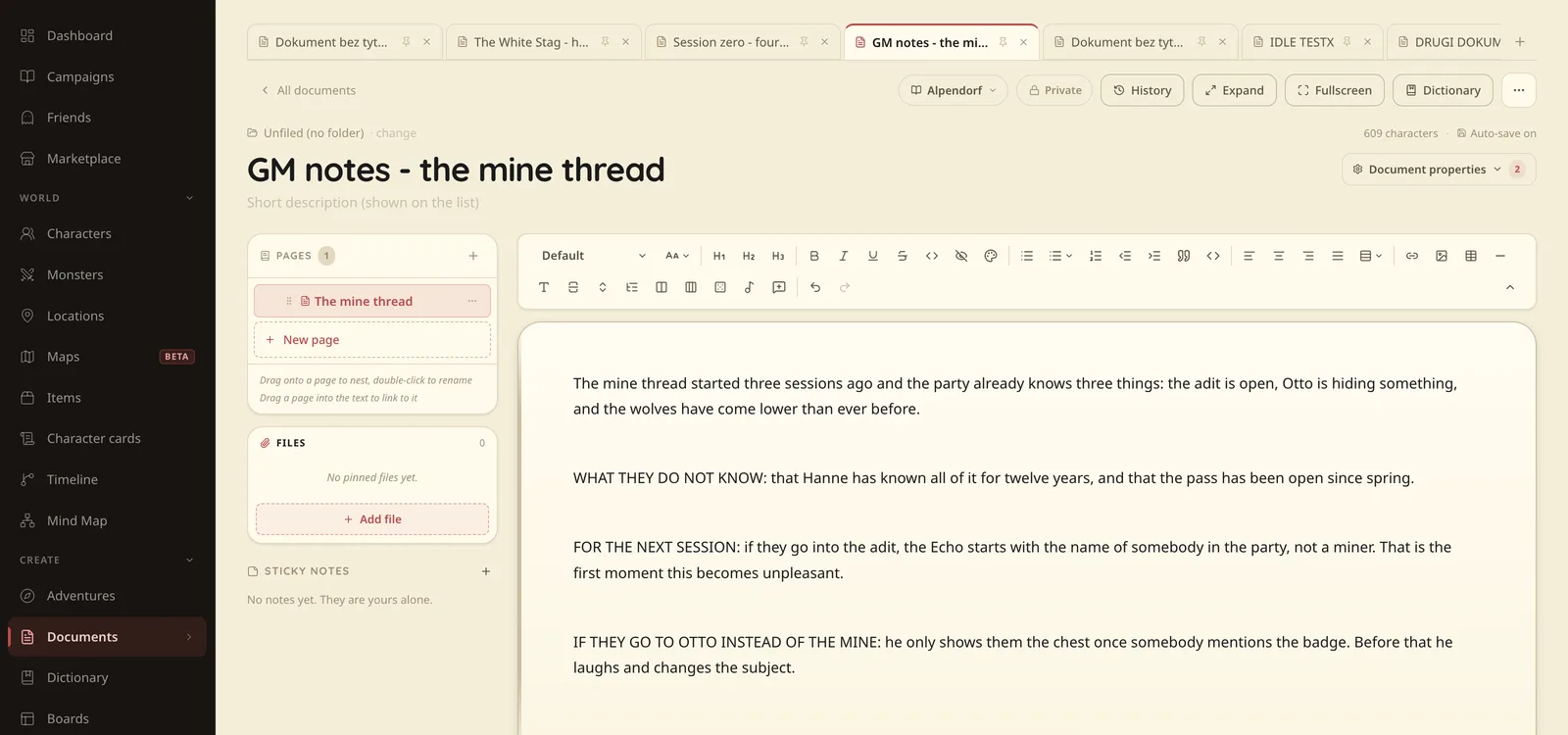
Talehaven gives you dedicated places for the different elements of your campaign. You can create NPCs, locations, items, maps, documents, and adventures, then connect the relevant material as you prepare.
The Adventure module lets you divide a scenario into scenes and keep the information required for each scene close at hand. Boards provide a visual workspace where you can arrange campaign elements, explore connections, and keep important material together.
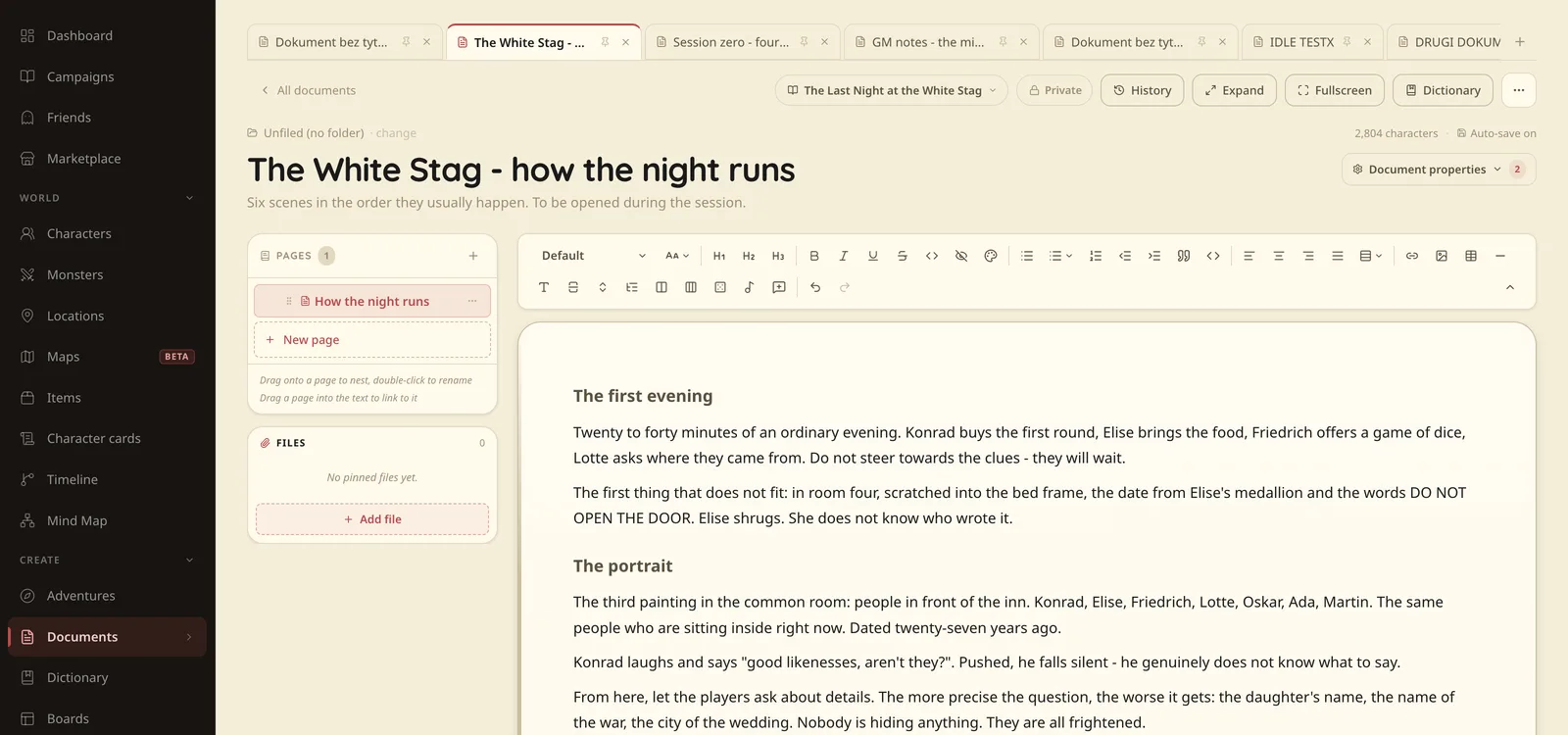
During an in-person session, the DM can use Talehaven as a reference while the players continue rolling physical dice and using paper character sheets if that's what they prefer.
There's also a useful distinction between private GM information and material intended for the party. You can prepare a document, map, or character entry in advance and make selected information available when the players discover it.
Talehaven is not restricted to D&D, and its campaign tools can also be used for other tabletop RPG systems. The core functionality is free, with additional paid storage available for uploaded files.
Best for: GMs who want adventure preparation, campaign information, maps, and player materials organized in one place.
Obsidian: A personal reference library for your campaign
Obsidian is a strong option if you prefer writing your own notes and want control over how they're organized.
Its internal linking system is particularly useful for campaigns with extensive lore. A note about a town can link to its inhabitants, the local ruler, nearby ruins, and events from previous sessions. As the campaign grows, those connections make it easier to find related information without remembering exactly where you wrote it.
Because Obsidian stores notes locally, it also appeals to people who prefer keeping their campaign files on their own devices. Plugins can expand its functionality, although creating an elaborate setup can become a project in itself.
For an in-person GM who primarily wants a reliable collection of notes, Obsidian can work extremely well. The main consideration is that you'll need to decide how to structure your campaign information.
Best for: Detailed notes, connected lore, and GMs who enjoy maintaining their own reference library.
Notion: Flexible planning and campaign dashboards
Notion offers another approach to campaign preparation, particularly for people who enjoy databases and custom layouts.
You might create a dashboard containing the next session's objectives, a list of important NPCs, upcoming encounters, and links to maps or documents. Separate databases can hold quests, locations, and items, with properties that help you filter and organize them.
That flexibility is valuable, but it comes with the responsibility of designing the structure yourself. A simple session checklist takes little effort, while an elaborate campaign management system can take considerably longer to build.
If you're already comfortable with Notion, it's worth considering before adopting another tool. There's no particular reason to abandon an existing workflow that serves your group well.
Best for: DMs who enjoy customizing their planning system or already use Notion regularly.
D&D Beyond: Digital character sheets and rules
D&D Beyond is useful for a different part of the game. Rather than serving primarily as an adventure-planning workspace, it focuses on Dungeons & Dragons characters, rules, and related game content.
At an in-person table, digital character sheets can be convenient for players who prefer keeping their information on a phone or tablet. They can reference their abilities and character details without carrying several sheets of paper, while the DM can use supported resources to check rules when necessary.
The main consideration is content access. Not every character option, rulebook, or other resource is included for free, and what you can use depends on your account and available content.
It also focuses on D&D rather than supporting tabletop RPG systems in general.
Best for: D&D groups looking for digital character management and access to supported rules.
Owlbear Rodeo: Digital maps without moving the whole game online
A shared screen can be incredibly useful during an in-person game, particularly when you're using a detailed battle map that would be difficult to print.
Owlbear Rodeo is built around a comparatively straightforward virtual tabletop experience, with maps and tokens at its center. You can use it to display an encounter while continuing to handle other parts of the game physically.
For example, your group might roll physical dice and use paper character sheets while a television displays the dungeon layout and the positions of enemies.
This approach works especially well if you enjoy tactical encounters but don't want to move the entire session into a complex digital system.
Best for: DMs who want to display maps and manage tokens while playing in person.
Initiative trackers and spreadsheets: Small tools for a specific job
Not every problem requires a dedicated RPG application. Sometimes a spreadsheet or a basic initiative tracker is enough.
Consider a fight involving five player characters, several enemies, and a summoned creature that joins halfway through the encounter. Keeping track of turn order, conditions, and who has already acted can become distracting, particularly when combat lasts several rounds.
A simple tracker can keep that information visible. You might use a spreadsheet, a dedicated initiative application, or physical cards arranged in turn order.
The best choice is usually the one that requires the least attention once combat begins. If you can manage everything comfortably with pencil and paper, there's no advantage in adding software just because it's available.
Best for: Keeping combat organized without introducing unnecessary complexity.
Don't underestimate physical notes
There's still a very good argument for keeping a few things on paper.
An index card with an NPC's name, personality, and immediate goal can be faster to consult than a digital character entry. A short handwritten list of possible complications can be useful when the party heads somewhere unexpected, and a notebook beside the GM screen is often the quickest place to record an improvised detail.
The difficulty comes later, when those cards and notes begin to accumulate.
That's why a combination of physical and digital tools often works so well. Keep the complete campaign record somewhere searchable, but use whatever is most comfortable during the actual session.
You don't need to prove your commitment to technology by replacing every piece of paper on the table.
A practical setup for your next in-person D&D session
If you're starting from scratch, I'd keep the setup simple.
Use one place for adventure preparation and campaign information. That could be Talehaven, Notion, Obsidian, or another organizer you're comfortable with. Keep your current scenario, NPCs, maps, and essential notes there rather than spreading them across unrelated documents.
Decide separately how you want to handle maps and combat. You might prefer printed battlemaps and miniatures, a digital map on a television, or theater of the mind without a tactical map at all.
Let players use the character sheets and dice they enjoy. There's no need to insist that everyone adopt the same digital workflow if paper works perfectly well for them.
Finally, before the session starts, spend a few minutes checking that you can quickly find the information you'll need. Open the adventure, review the important NPCs, and make sure any maps or handouts are ready.
Then stop adjusting the setup and play.
The technology should stay in the background
The best in-person sessions rarely depend on sophisticated technology. They depend on the people around the table, the decisions they make, and the GM's ability to respond when things go in an unexpected direction.
Digital tools are useful when they reduce the amount of work between those moments.
If your notes are easier to find, your maps are ready when you need them, and your campaign information is organized, you can spend more attention on the actual game.
That's what we're trying to make easier with Talehaven. You can prepare an adventure, arrange its scenes and supporting material, and keep everything accessible while your group plays however it prefers.
You don't need to migrate years of campaign history to give it a try. One upcoming session is enough to see whether it fits your table.
Keep the parts of tabletop gaming you love. Make the organizational work a little easier.